 Minecraft
Minecraft is a sandbox survival and adventure game that allows players to explore unique block-based worlds, gather resources, and build custom structures.
When running a dedicated multiplayer server as a shared service in Jami, it functions as a collaborative virtual world.
Zie ook
Create a dedicated folder on your machine for your Minecraft server. In this example, we will name the folder
MC Server.Download the official Minecraft server (
server.jar) from the Minecraft website and move it to theMC Serverfolder.Ensure Java is installed before running the
server.jarfile. On Windows, double-click theserver.jarfile. On Linux and macOS, run the following command in the directory that contains theserver.jarfile:java -Xmx4G -Xms4G -jar server.jar noguiAfter running the
server.jarfile, theMC Serverfolder will contain additional files. You need to modify two of these files: a.eula.txt: Seteula=truein this file after reading and agreeing to the EULA. b.server.properties: Use this file to configure your Minecraft server as required. Check the following property:Set the
server-portvalue. You can usually leave this at the default value of25565provided that it’s not already in use.
Save the changes and restart the server using the same method as in Step 3. The server is ready when the console displays the
Donemessage.Add a custom service to Jami. Ensure the
Local portfield matches the value you set forserver-port. As with shared directories and websites, you can control access to the service. After configuring the service, select the Save button.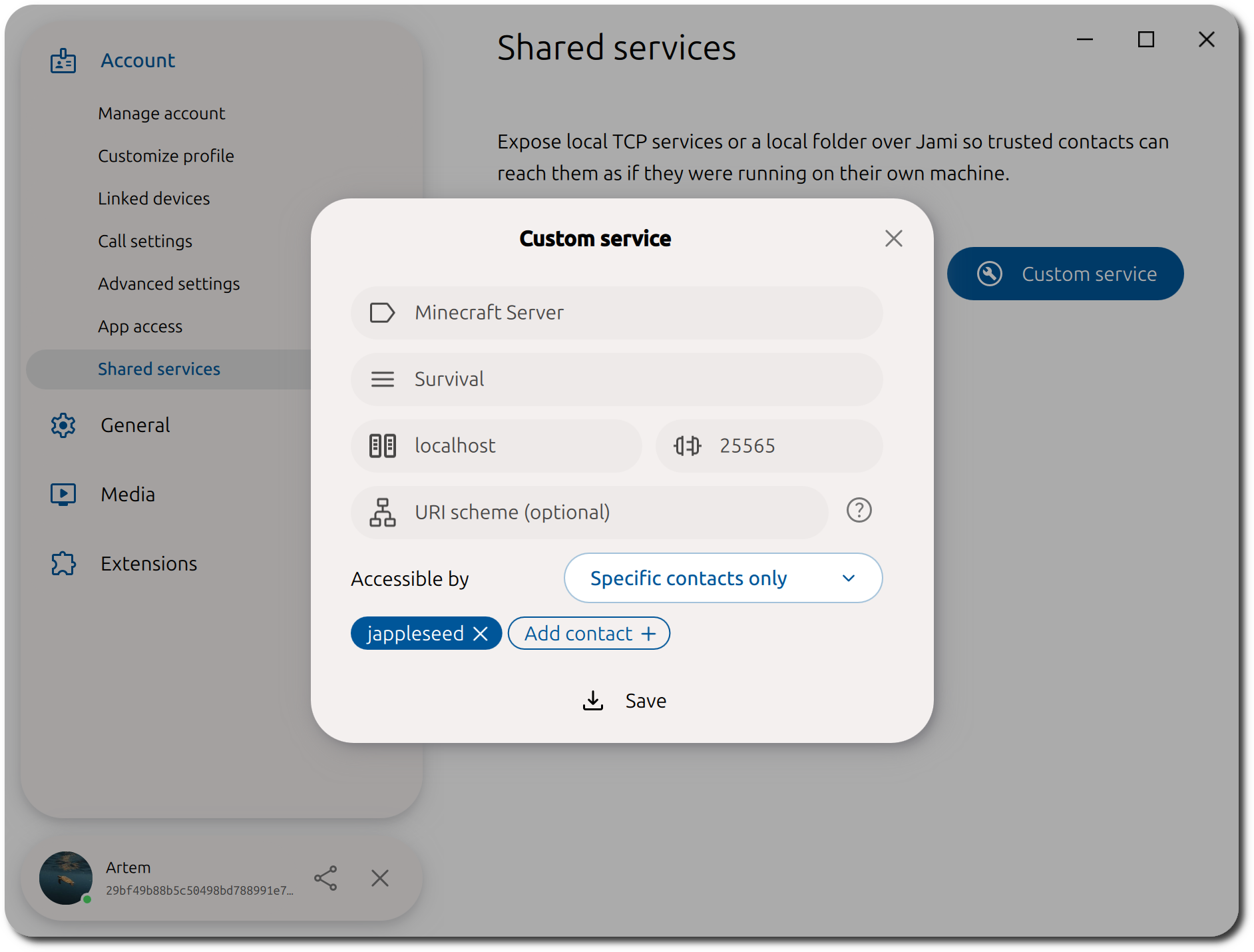
Before inviting others, verify that you can connect to the Minecraft server yourself. Inside Minecraft, navigate to Multiplayer → Direct Connection and enter
server-ip-address:server-portin the Server Address field, then select the Connect button. If everything is working correctly, you should successfully join the server and see the following message in the server log:USERNAME joined the game.Once you’ve confirmed the server is working correctly, invite your contacts to join.
Your contact opens your shared services list and selects your shared Minecraft server.
The server address is copied to their clipboard automatically.
They paste the address into the
Server Addressfield in Minecraft and select Join Server.